

Apple brings the magic of AI to your photos in iOS 27 these are the new tools
Apple Intelligence adds intelligent editing to Photos with spatial recomposition, extended backgrounds and advanced erasing to achieve almost professional results.
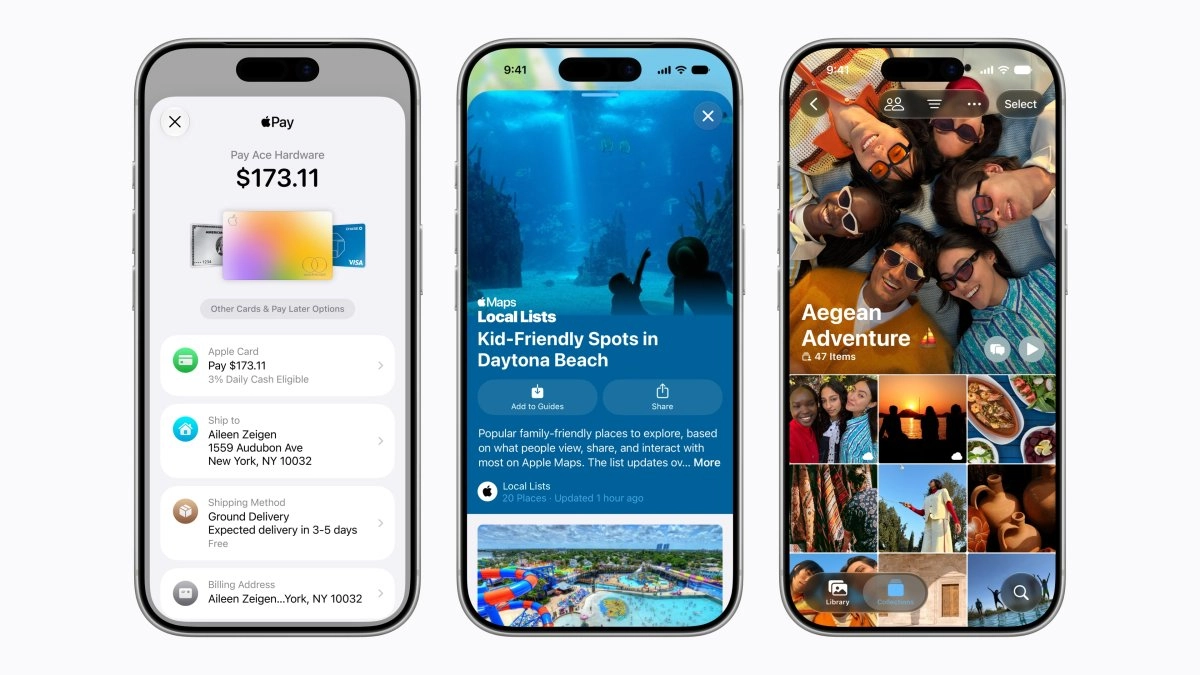

Apple is turning the Photos app into a small creative studio with the arrival of Apple Intelligence in iOS 27, and the new AI editing options go well beyond applying a simple automatic filter. During WWDC26, the company announced that these functions will be integrated into the system, with a focus on the intelligent recomposition of images and faster and more contextual editing tools.
What's new with AI photo editing in iOS 27
Apple Intelligence is the layer of generative and personal artificial intelligence that is integrated into iPhone, iPad, Mac and the rest of the ecosystem to power everyday tasks, including image editing. Apple explains that this new architecture has been designed with an emphasis on privacy and that it will rely on both local models and cloud processing when necessary, always with controls for the user.
Within the Photos app appears one of the most striking new features for mobile photographers called Spatial Reframing or spatial recomposition. This feature allows you to improve the composition of a photo after it has been taken, especially useful when the frame is off-center or an important element has been cut off at the edge. Instead of just cropping, the AI understands the scene and rearranges the content so that the result has a more balanced composition.
Apple notes that the next generation of Apple Intelligence also simplifies tasks like editing images in Photos, so adjustments that previously required multiple steps can now be resolved with fewer taps and with automatic suggestions based on the context of each image. Along with this, the company highlights that photos will load up to seventy percent faster after taking them, making reviewing and editing a burst of images much smoother in iOS 27.
In addition to the Photos app, Apple Intelligence powers creative experiences like Image Playground, an environment designed to play with AI-generated images and express visual ideas more freely. Some imaging functions will have daily use limits, something logical if we think about the computational cost of these models, although these limits will be expanded for those with iCloud Plus plans, which also activate Apple Intelligence support for compatible home cameras.
How you can use these tools on your photos
Apple describes Apple Intelligence as a system that is deeply integrated into everyday apps, so the idea is that you don't have to learn a new app to edit with AI, but instead discover the functions within tools you already know like Photos. The company makes it clear that these capabilities are based on the user's personal context, so the AI will be able to better understand what is in your images and what you are trying to achieve when editing them, always with the promise of keeping privacy as a priority.
In the case of Spatial Reframing, the flow will be very natural for the average user, because it starts from an already existing photo and improves it at the framing level. The objective is that you can rescue those photos that are technically good, but that fail in composition, and turn them into something more worthy of sharing on networks or keeping as a memory. Imagine a group photo in which someone has been left almost outside the edge, with this function the AI subtly fills and rearranges the scene so that everyone is within a more pleasant frame.
Although Apple does not detail each specific gesture, it does make it clear that image editing will become more “intelligent” in general thanks to this new layer of Apple Intelligence. That opens the door to flows where the system proactively suggests improvements or offers you shortcuts to apply various adjustments that you would normally make manually. As a content creator this means less time fixing small mistakes and more time thinking about the story you want to tell with each image.
The general context of the system is also important, because Apple has redesigned the search in Photos to make it more stable and efficient, which helps you quickly find the images you want to edit. Combine that enhanced searching with intelligent recomposition and adjustment tools, and the result is a much more streamlined editing flow, especially when you're working with giant libraries of photos for social media or editorial projects.
When will they be available and on what devices?
Apple confirms that all of these new Apple Intelligence features, including improved image editing in Photos, will arrive with iOS 27 and the rest of the systems this fall as a free update. Before that general release, the new features are already available today for developers within the Apple Developer Program, and a public beta will open next month through the Apple Beta Software Program.
To access Apple Intelligence you will need relatively recent devices. In the case of the iPhone, the company limits these functions to iPhone 16 and later models, in addition to iPhone 15 Pro and iPhone 15 Pro Max, since they require the power of the most modern chips to run the AI models. Also included in the full ecosystem are iPads with M1 chip or later, Macs with M1 or later, Apple Vision Pro, and the latest Apple Watches when paired with a compatible iPhone.
Apple Intelligence will be available in multiple languages at launch, including Spanish, along with English, French, German, Portuguese, Chinese and others. The company warns that not all functions will reach all countries at the same time, and that Siri AI and other Apple Intelligence components will not be available initially in China due to regulatory issues. In the European Union there will also be staggered availability, with access to Siri AI sooner on Mac and Apple Vision Pro than on iPhone or iPad.
Apple also reminds that some functions, such as imaging, will have daily usage limits, precisely because they depend on very powerful models that run on servers, and that these limits can be expanded with most iCloud Plus subscriptions. In any case, we are facing a first step in a long-term strategy, so it is to be expected that with each version both the editing capabilities and the way in which AI is integrated into our creative flow will be refined.