

Google Pixel Tablet: The Good and the Bad
If you're looking for a tablet for home use, the Google Pixel Tablet might be a good option. In this article, we analyze it
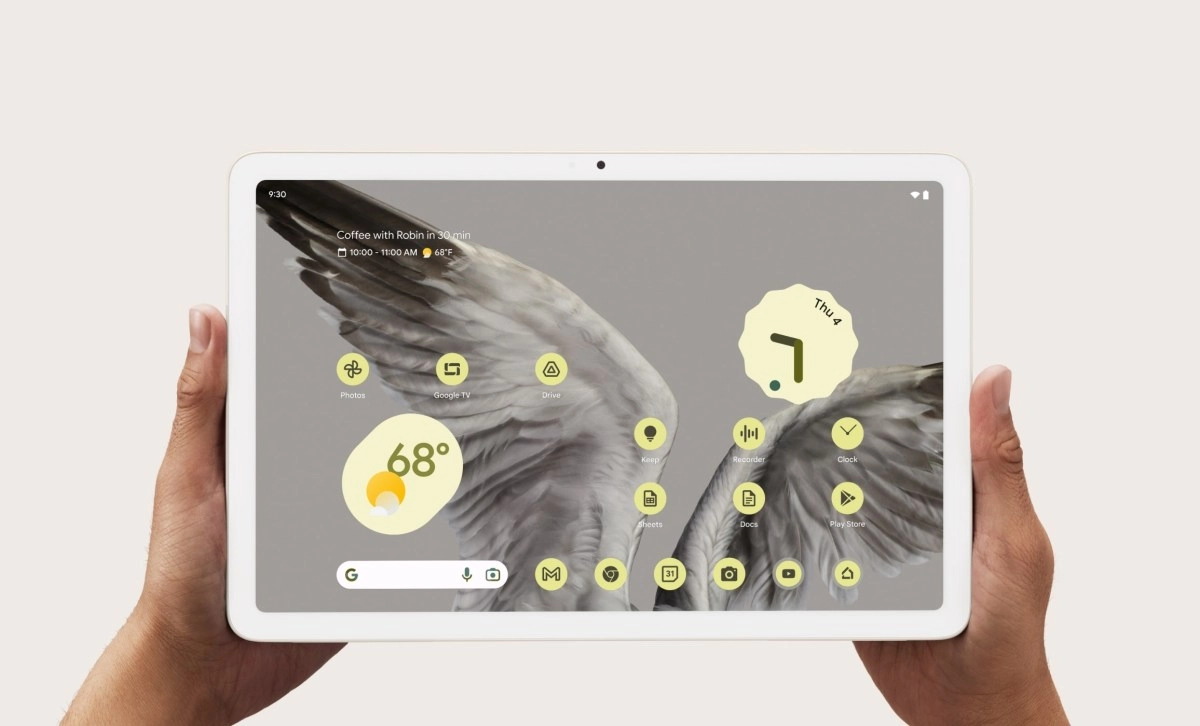

The Google Pixel Tablet is a curious product. Originally launched as a hybrid between a tablet and a speaker with a smart display (thanks to its charging dock with a speaker), Google now sells it for $399 without the dock. This puts it in direct competition with the latest 11th-generation iPad and the Samsung Galaxy Tab S10 FE and S10 Lite. What do you get for $399? An 11-inch tablet with a 2560x1600 resolution and the Tensor G2 chip (the same one found in the Pixel 7), a design with a very pleasant "nano-ceramic" finish, and the cleanest Android experience on the market. It also comes with 128GB of storage. If you want the 256GB model—the one we tested for this article—the price goes up to $499. (Note: there's no slot for adding a memory card.) And if we want the charging cradle with a speaker, which makes it useful for using in the kitchen and following a recipe, for example, we would have to pay an extra $100, although that bundle is currently sold out on the Google website.
Strengths (The Good)
• Clean and Fluid Software: If you hate bloatware (too many pre-installed apps), you'll like this Pixel Tablet. The interface is Android as Google intended: clean, fast, and with smart features like easy-to-use split-screen and a very practical taskbar.
• Hub Mode: Although this $399 version doesn't include the cradle, if you decide to buy it separately (or if you already have one), the tablet becomes an excellent digital photo frame and smart home controller when you're not using it. No other tablet does this as well, especially if you have Google smart speakers, Nest cameras, or Chromecast on your TV.
• Good build quality: It has a nano-ceramic coating over aluminum that feels smooth, almost like polished stone, and is also fingerprint-resistant. It feels robust.
• True multi-user: Unlike the iPad, here you can have separate user profiles. If the tablet is for family sharing, you can keep your email and apps separate from those of your children or partner.
• Compatible with USI (Universal Stylus Initiative) universal styluses,You don't need a specific Google one.
Weak Points (The Bad)
· The 60Hz screen: The LCD screen looks good in color, but it moves at 60 frames per second, which makes scrolling look slow or not very smooth. Some direct competitors already offer 90Hz. And if we look at much more expensive tablets, up to 120Hz.
· Better with the dock: The great advantage of this tablet is that it becomes a "smart display" when you're not using it. For that, you need the charging dock.
· Tensor G2 chip: The processor is capable for multimedia, browsing, and light gaming, but it's not a performance beast and it's getting on in years.
· Cameras: The 8MP cameras (front and rear) are functional for video calls, but don't expect the photographic "magic" of a Pixel phone. They're basic.
· The 500 nits brightness is adequate for indoors, but just barely sufficient for outdoors.
Conclusion: Is it worth it?
The $399 Pixel Tablet is highly recommended with the charging dock. Also, if you're used to the Google ecosystem and want multiple users to be able to use it with their own accounts.
If you're someone who wants to draw with the tablet and take handwritten notes, the iPad and the Samsung Galaxy (which already comes with the stylus) are superior in this regard. It's also not recommended for demanding games.