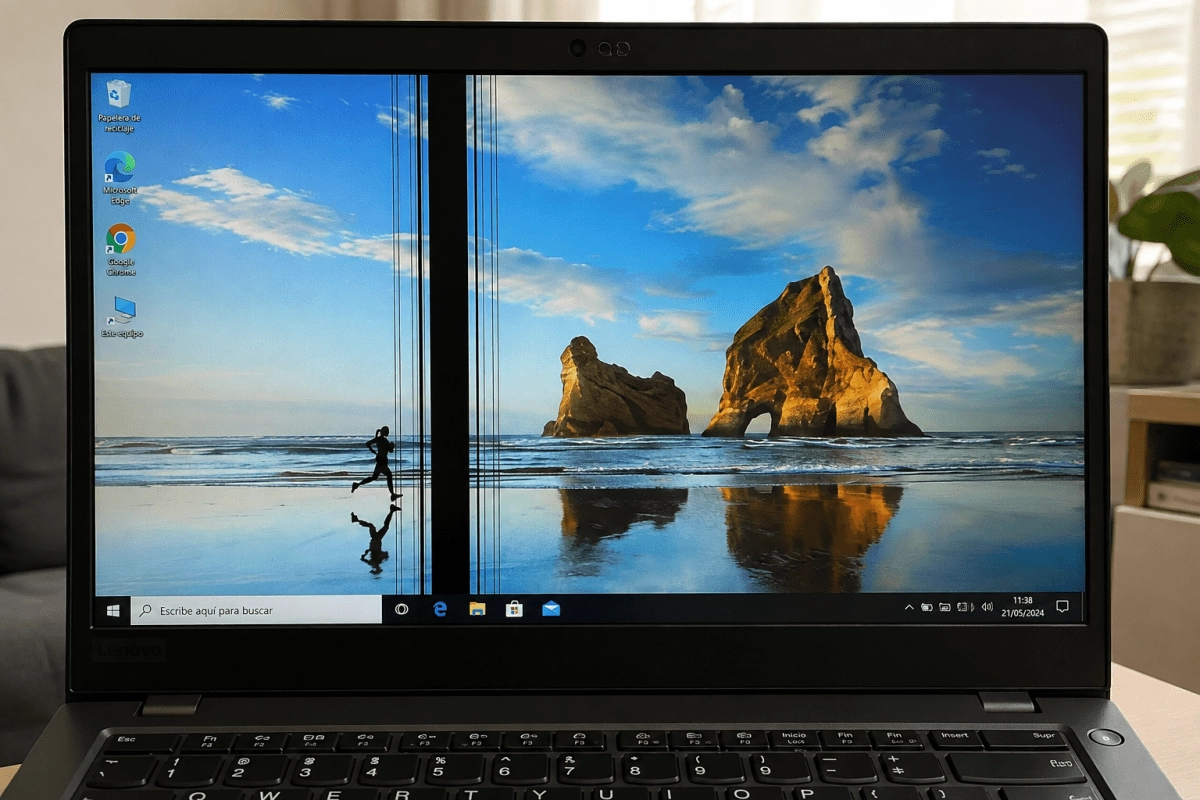

If one day you turned on your laptop and found a black streak crossing the screen, you know exactly that feeling of panic that runs through your body. The first thing you think is “my screen broke” and the second thing is “this is going to be very expensive.” The good news is that the issue is more nuanced than meets the eye, so let's break down why these lines appear and what you can do about it before you reach for your wallet.
Why do black lines appear on your screen?
The causes behind this phenomenon are varied and range from something as simple as an outdated driver to serious physical damage to the internal components of the device. One of the most common reasons is the failure of a column of dead pixels, which occurs when a group of TFT transistors stops receiving signal and simply turns off, leaving a visible stripe on the screen.
Another common cause has to do with the internal flex cable, that thin ribbon that connects the screen to the motherboard through the hinge. Every time you open and close your laptop, that cable flexes a little, and over time microcracks can form that interrupt the signal. There is also the T-con board, responsible for coordinating the signals that reach each pixel, and when it fails it can leave entire rows or columns without information.
It's not all bad hardware. Sometimes the culprit is simply a software issue or outdated graphics drivers, which sounds a lot less scary than a broken screen. Bumps, drops, or excessive pressure on the cover can also cause physical damage to the LCD panel, and overheating due to poor ventilation is another common suspect that you should not rule out.
How to know if the problem is your screen or something else
Before assuming the worst, there is a test that will save you headaches and possibly money. Connect your laptop to an external monitor using HDMI or whatever port you have available and see if the black line still appears there as well.
If the stripe disappears on the external screen, the problem is located in the panel of your laptop or in the cable that connects it. But if the line is replicated on the external monitor, then the origin is most likely in the graphics card or in the drivers, something that completely changes the diagnosis and, be careful, also the solution.
Another useful test is to open and close the lid very slowly while watching to see if the line moves, changes intensity, or disappears momentarily. This behavior usually points directly to the flex cable, since the bending causes contact to be lost or regained in real time.
Do you always have to change the screen?
Here comes the part that you are going to like to read: no, changing the screen is not the only way out or even the most common in many cases. Before thinking about an expensive replacement, updating the graphics drivers from the manufacturer's official website (Intel, NVIDIA or AMD) can solve the problem if the cause was simply a corrupt or outdated driver.
A complete reset with residual power discharge, disconnecting the charger and holding the power button for a few seconds, also solves more cases than one imagines. If you suspect the flex cable, a technician can check and reconnect that component without having to replace the entire panel, which represents a considerable saving compared to changing the entire screen.
Now, when the black line comes from a column of dead pixels or confirmed physical damage to the panel, you're likely to end up needing a replacement. In these scenarios, it is advisable to first check if your equipment is still under warranty, because that can make the difference between paying out of pocket or resolving it for free with the manufacturer.
In short, a black line on your screen is not an automatic sentence of a large expense. It is worth doing the diagnosis step by step before assuming that the only way out is to change the entire panel.