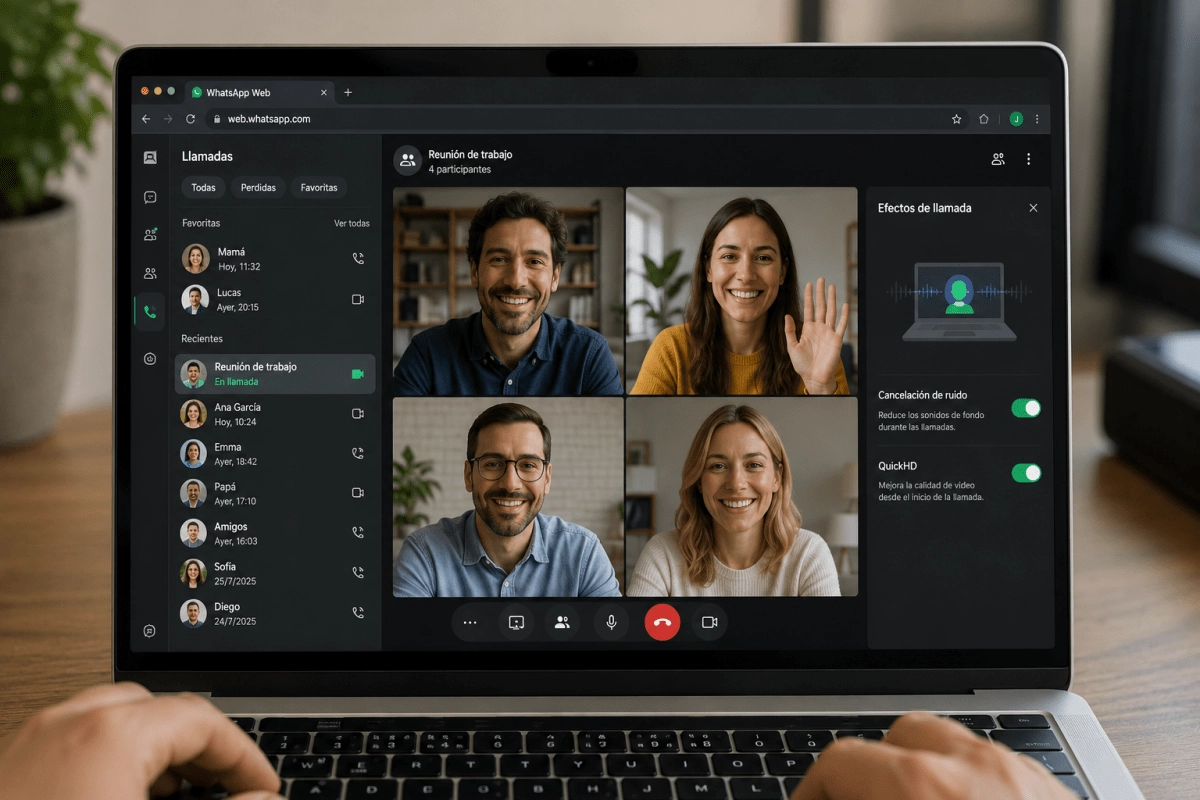

WhatsApp has just added a function that many users have been asking for for a while. The most popular messaging app in the world confirmed that calls and video calls come to WhatsApp Web, so you will no longer need to reach for your cell phone every time you want to talk to someone from the computer. The news was officially spread on the company's blog and began to be gradually rolled out globally from July 28.
The interesting thing about this ad is that it seeks to erase that feeling of using a “cropped” version when you work from the browser. Until now, if you wanted to make a video call you had to take out your phone, something that broke the workflow for those who live glued to their laptop screen. With this update, WhatsApp is committed to a much more fluid experience between devices, without forcing you to choose between comfort and functionality.
How new calls work on WhatsApp Web
The mechanics are quite simple. You can make and receive voice and video calls, both individual and group, directly from your browser, without installing any additional applications. Simply open a conversation in WhatsApp Web and, when the function is active in your account, you will see the camera and phone icons at the top right of the chat.
Something that will probably reassure you if you are one of those who take care of their privacy: calls from the web maintain the same end-to-end encryption that you already know on your cell phone, and they remain free and without a time limit. Plus, you'll have access to tools that were previously only available on other devices, such as screen sharing, sending real-time reactions, and viewing a dedicated tab with your full call history and favorites.
Call transfer and waiting room, the stars of the advertisement
Among all the new features, there are two that steal the attention. The first is call transfer, a feature that allows you to move a group video call from one device to another without cutting it off at any time. Imagine that you initiate a call from your cell phone while on the street and, when you get home, you transfer it without interruptions to the computer to continue talking from a larger screen. That, exactly, is what this tool promises.
The second big novelty is the waiting room, designed to give you more control over who joins your group calls and at what time. If you activate the “Require approval to join” option when creating a call link, each participant will wait until you decide to let them in. A key function for those who organize work meetings or meetings where privacy matters.
More technical improvements that add quality
WhatsApp also added QuickHD, a function that improves the quality of the video from the first seconds of the call, so you will no longer have to wait for the image to “load” to see the other person clearly. This is a seemingly small detail, but it greatly changes the experience when you are on work video calls or important family gatherings.
Another key addition is noise cancellation, designed to eliminate distracting sounds from your surroundings and make your voice sound clear, even in noisy places. This option can be managed at any time from the call settings, so you have full control over when to activate or deactivate it depending on the context you are in.
All of these features are being rolled out progressively, so some users will likely receive them before others in the coming weeks. The truth is that WhatsApp continues to strengthen its multiplatform ecosystem, and this update marks an important step to make the experience on the web feel as complete as that of the cell phone.