

Google Personal Intelligence: The new AI-powered search that offers you personalized answers
Google wants AI to be able to obtain context from apps like Gmail and Google Photos to offer much more personalized answers
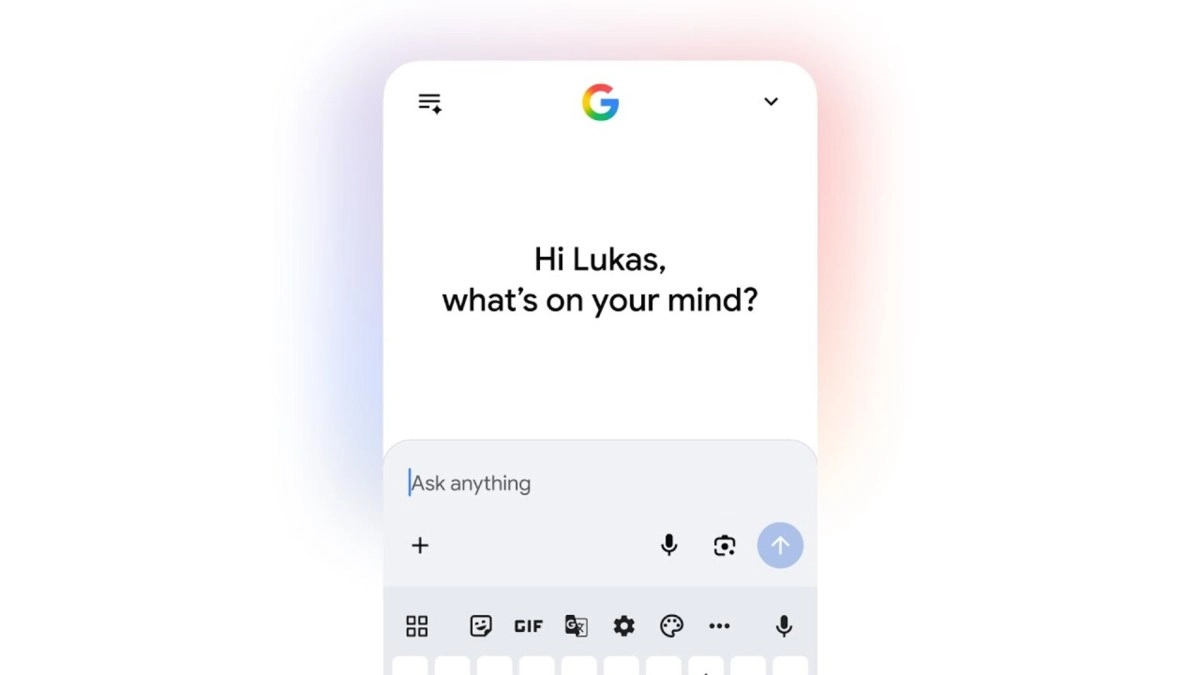

Google unveiled Personal Intelligence this Thursday, a new layer of personalization within AI Mode in Google Search that blends global web knowledge with your own context in apps like Gmail and Google Photos to provide much more personalized answers.
The idea is for search to stop feeling generic and start acting as if it already understands your plans, your tastes, and your history, without you having to explain everything from scratch every time.
What is Personal Intelligence?
Personal Intelligence is an expansion of the AI ??Mode experience in Google Search that “connects the dots” between various Google apps to turn your searches into more personalized and useful answers. Instead of simply giving you standard links or recommendations, it seeks to build suggestions that fit your real life: your itinerary, your recent purchases, your memories, your preferences.
Google presents it as a step towards a Search that not only “knows about the world,” but can also add insights relevant to you, provided you authorize it.
And yes: this directly addresses one of the classic pains of searching the internet today: having to repeat the context over and over again (“I’m traveling with kids,” “I like X style,” “I arrive on such and such a day,” “I hate such and such”).
How AI Mode works with Gmail and Google Photos
It works around one key decision: you choose whether or not to connect your Gmail and Google Photos to AI Mode in Search. From there, AI Mode can use signals from those sources to respond with context: for example, checking a hotel confirmation in Gmail or recognizing patterns in your photos to refine recommendations for activities or places.
Google provides very specific examples. If you’re planning a family getaway, AI Mode could use a hotel reservation in Gmail and “travel memories” from Google Photos to suggest an itinerary that makes sense for your group (like an interactive museum if it detects signs that you tend to make “family-friendly” plans).It even mentions a more "everyday" example: when searching for sneakers, AI Mode might notice a brand you recently bought and suggest a new model you hadn't seen, a pretty direct recommendation based on your style. In shopping, the approach is also interesting because AI Mode can consider what you usually buy and where you buy it, and also cross-reference it with logistical data (like a flight or destination in Gmail) to suggest things that match the weather and time of your trip (for example, coats for Chicago in March, in the style you usually choose). And yes, there's also room for more "casual" searches, like: "if my life were a movie, what would the title and genre be?" or "describe my perfect day." Regarding availability, Google indicates that this is being rolled out as an experimental feature in Labs, starting with Google AI Pro and AI Ultra subscribers (in English and in the US), with automatic access as it becomes available. It also clarifies that it's for personal Google accounts and not for Workspace users (business/enterprise/education).
Advantages for users and privacy management
The clearest advantage is that Personal Intelligence promises more useful answers from the first try because it doesn't start from scratch: it begins with real context (always with permission), and that improves recommendations for plans, purchases, and quick decisions. It also reduces friction: less manual briefing and more actionable results, especially in scenarios where context is everything (travel, shopping, group activities).
Now, Google insists that the system is designed with "transparency, choice, and control" as its foundation. The Gmail and Photos connection is strictly opt-in and can be activated or deactivated at any time. Furthermore, Google states that AI Mode uses its Gemini 3 model and does not train directly on your Gmail inbox or your Google Photos library; The training is limited to certain information, such as AI Mode prompts and responses, to improve functionality over time. Another important point: Google acknowledges that errors may occur (incorrect connections between topics or misunderstood context), and therefore provides correction mechanisms: you can clarify with a follow-up in AI Mode or send feedback when a response is incorrect.with the style you usually choose). And yes, there's also room for more "casual" searches, like: "if my life were a movie, what would the title and genre be?" or "describe my perfect day."
As for availability, Google indicates that this is being rolled out as an experimental feature in Labs, starting with Google AI Pro and AI Ultra subscribers (in English and in the US), with automatic access as it becomes available. It also clarifies that it's for personal Google accounts and not for Workspace users (business/enterprise/education).
User Benefits and Privacy Management
The clearest advantage is that Personal Intelligence promises more useful answers from the first try, because it doesn't start from scratch: it begins with real context (always with permission), and that improves recommendations for plans, purchases, and quick decisions. It also reduces friction: less manual briefing and more actionable results, especially in scenarios where context is everything (travel, shopping, group activities).
Now, Google insists that the system is designed with “transparency, choice, and control” as its foundation. The Gmail and Photos connection is strictly opt-in and can be turned on or off at any time. Furthermore, Google states that AI Mode uses its Gemini 3 model and does not train directly on your Gmail inbox or your Google Photos library; training is limited to certain information such as AI Mode prompts and responses to improve functionality over time.
Another important point: Google acknowledges that errors can occur (incorrect connections between topics or misunderstood context), and therefore offers correction mechanisms: you can clarify with a follow-up in AI Mode or send feedback when a response is incorrect.