

What is the HDMI ARC port on your TV for? The hidden gem that will allow you to enjoy content at a new level of quality
If your TV has an HDMI ARC port, you should seriously consider which device you connect through it to get the most out of it
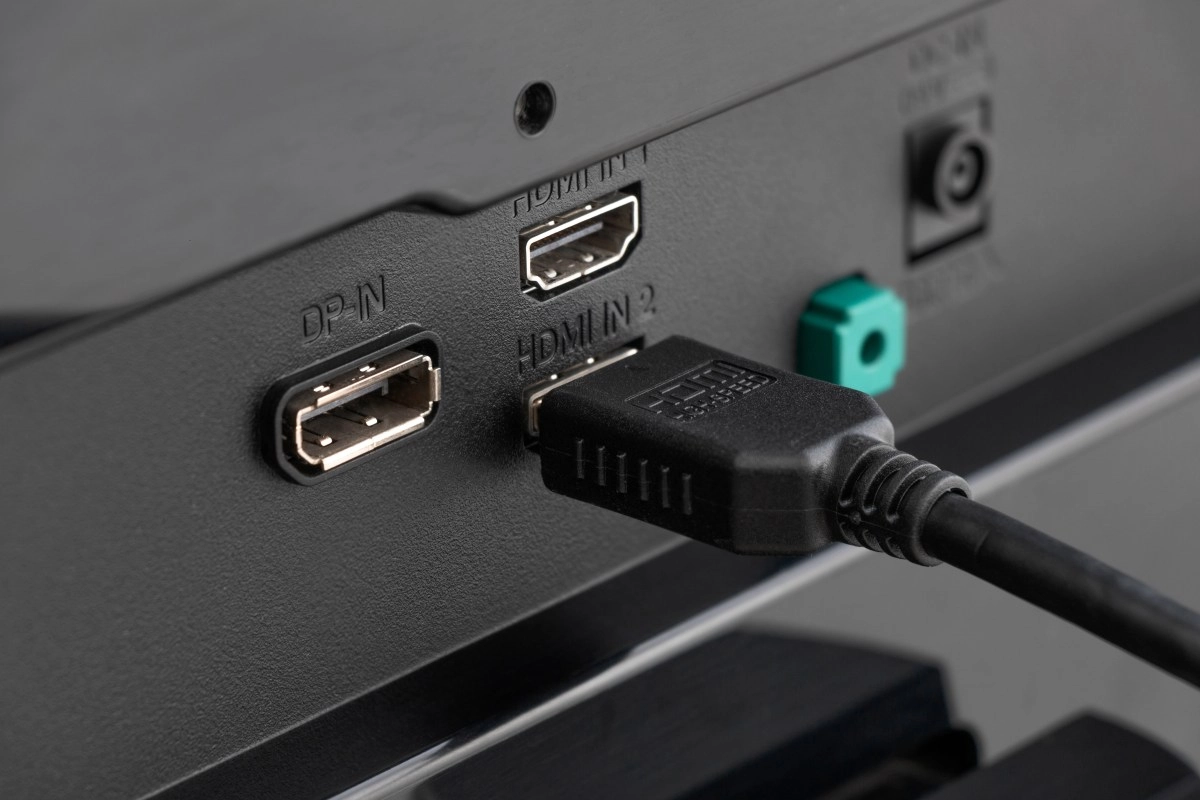

If you've ever turned your TV over, you've surely seen that row of ports that all look the same. You connect the console to one, the set-top box to another, and that's it. But what if I told you that not all HDMI ports are the same? There's one, or maybe two if you're lucky, that hides a superpower. We're talking about HDMI ARC ports and their more advanced version, eARC. You've probably seen them, marked with little letters that many people ignore. However, understanding what they do and why they're different can completely change the way you enjoy the sound of your movies, TV shows, and video games. Forget about tangled cables and the mediocre sound of your TV's speakers; this connection is the gateway to a much more immersive experience. But be careful, because there's a trick to using it, and you should think carefully about which device gets the honor of using it. What on earth is HDMI ARC/eARC, and why isn't it like the others? To understand the power of ARC, you first need to understand how a normal HDMI port works. A standard HDMI port is like a one-way street: it sends video and audio from an external device (like a PlayStation or a Blu-ray player) to your TV. Simple and effective. But what happens when the sound originates from the TV itself, for example, when you use the Netflix or YouTube app?
This is where things get interesting. Before ARC existed, if you wanted that sound to be heard on your brand-new soundbar or home theater system, you had no choice but to use an additional cable, usually an optical audio cable. One more cable for the tangle you already have behind the furniture.
HDMI ARC (Audio Return Channel) came to solve this problem. This port is a two-way street. In addition to receiving video and audio like any other HDMI port, it has the ability to send the sound back from the TV to an external audio device using that same single HDMI cable. In other words,Simplify your life and dramatically reduce cable clutter.
Then came its big brother, eARC (Enhanced Audio Return Channel). If ARC is a pipe for sound, eARC is a multi-lane highway. The main difference between the two is bandwidth and speed. eARC has a much higher bandwidth, allowing it to carry much more complex and heavy audio formats without compression.
The Super Advantages of Using an ARC/eARC Port
Connecting your sound system through this special port isn't a whim; it's a necessity if you want to get the most out of your entertainment system. The advantages are significant and go far beyond simply having one less cable.
The most obvious advantage is simplicity and convenience. With just one HDMI cable between your TV and your soundbar, you control both the picture and the two-way sound.
Furthermore, thanks to a technology called HDMI-CEC, you can usually use your TV remote to control the soundbar's volume. No more juggling three different remotes.
However, the real magic lies in the sound quality, especially with eARC. The traditional ARC port is limited to compressed audio formats like Dolby Digital and DTS 5.1. It's not bad, but it's not the ultimate sound experience. eARC, thanks to its enormous bandwidth, is capable of transmitting uncompressed, high-resolution audio formats. This includes the most advanced formats on the market, such as Dolby Atmos, DTS:X, Dolby TrueHD, and DTS-HD Master Audio. With eARC, you can enjoy three-dimensional surround sound, with objects moving around you, just as the creators of the film or video game intended.
Another key improvement of eARC is lip-sync.
You've probably noticed that annoying lag where you see an actor's lips move before or after you hear their voice. The eARC standard introduces automatic correction mechanisms that almost completely eliminate this problem, ensuring that image and sound are perfectly synchronized.
Don't connect just anything: Why you should be selective with your ARC/eARC port
Here's the crucial point that many overlook. Your TV typically only has one HDMI port with ARC/eARC capability. It will be clearly identified with the letters "ARC" or "eARC" next to the connector. This port is a valuable resource and you shouldn't waste it.
This port should be reserved exclusively for your main audio device: your soundbar or your Audio/Video (AV) receiver. It's the only way to take advantage of its "audio return" capability.
If you connect your game console to the ARC input and the soundbar to a regular HDMI port, you'll completely lose its special function. You won't be able to hear the sound from TV apps (Netflix, Disney+, etc.) through the soundbar, which is precisely what it was designed for. Think of it this way: all the devices that send video to the TV (console, set-top box, PC) can be connected to the regular HDMI ports. The sound from all of them will reach the TV, and it will be the TV that, through its single ARC/eARC port, sends all that unified audio to your sound system. To enjoy the benefits of eARC, it's essential that both the TV and the soundbar (or receiver) are eARC compatible and that you use a high-speed HDMI cable ("High Speed ??with Ethernet") or, preferably, an "Ultra High Speed" cable if you want to ensure maximum performance. If you connect a TV with eARC to a soundbar that only has ARC, the connection will work, but you'll be limited to the lower audio quality of the ARC standard. You won't be able to enjoy Dolby Atmos in all its glory, for example. Therefore, before connecting, check the labels on your ports and reserve the VIP for your sound system.